Here is the guide on how to use JPRO diagnostic software to do output component test for Bendix AutoVue 3G LDW system and Bendix SafeDirect Web Portal Processor (3G and 5G).
Related Contents:
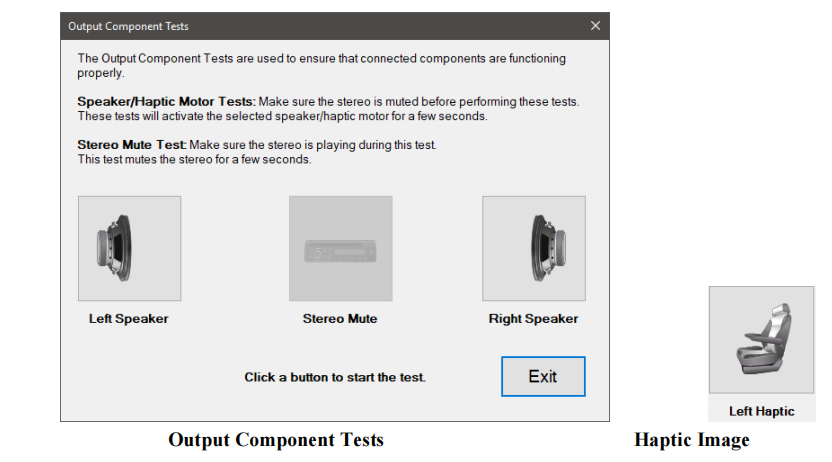
This test checks for proper functionality of connected alert systems, including: Speaker Feedback, Haptic Feedback, and Stereo Mute.
1 Select the Output Component Test and press Enter or the Start button.
2 The test dialog will be displayed.
3 Ensure the stereo is muted, then click the desired left or right test button. The selected speaker or haptic motor will be activated until the selected button is clicked again to stop the test.
4 To perform the Stereo Mute test, ensure the stereo is turned on before clicking the button to begin the test.
Select the button again to stop the test.
5 When done, press the Exit button to return to the test selection dialog

