Here is the instruction show you guide on how to setup/configuration JCB ServiceMaster 4 work with JCB DLA 2.0 diagnostic kit.
Related Contents:
2026 JCB ServiceMaster 4
2017 JCB Parts Plus+ and Repair Service Manual
Procedures:
1 Right click on Servicemaster on desktop and select “Run as Administrator” as shown in the image.
Note: This procedure is required only if you have installed DLA 2.0 drivers and going to use the DLA 2.0 kit.
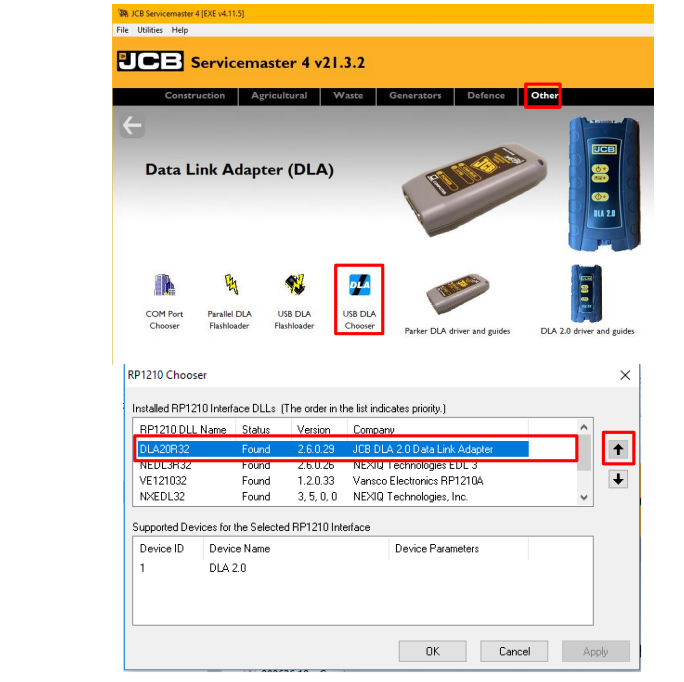
2 In Servicemaster go to “Other->General->DLA”
3 Left Click on “USB DLA Chooser”. See image top right corner.
4 New window will open as shown in image bottom right corner.
5 Select the “DLA20R32” item & move it to the top of the box with the highlighted arrow on the right
6 Click “Apply” & then click on “Ok”.
7 You are ready to use DLA 2.0 now