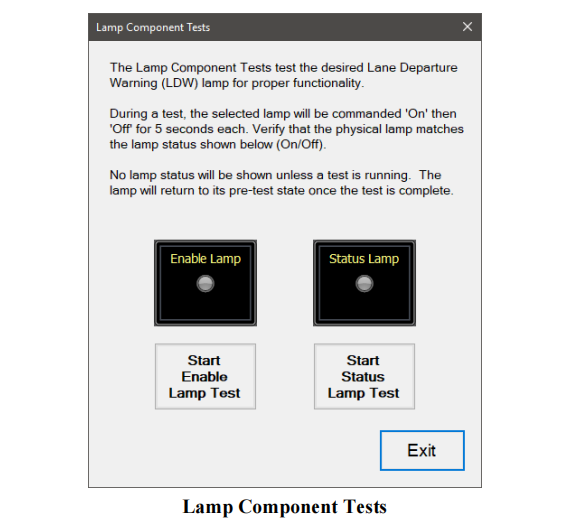
The Lamp Component Test tests proper functionality of the Lane Departure Warning Enable/Disable lamp and the Status Lamp.This instruction show you guide on how to use JPRO diagnostic software to perform Bendix lamp component test.
Related Contents:
The Lamp Component Tests are available on:
✓ Bendix AutoVue® 3G LDW System
✓ Bendix SafetyDirect® Web Portal Processor (5G)
1 Select the Lamp Component Test and press Enter or the Start button.
2 The test dialog will be displayed.
3 Select the desired lamp test button. The selected lamp will be commanded On for 5 seconds and then Off for 5 seconds. Observe the lamps to see if their status changes to match the commanded status displayed on the test screen.
4 When done, press the Exit button to return to the test selection dialog.

