Description
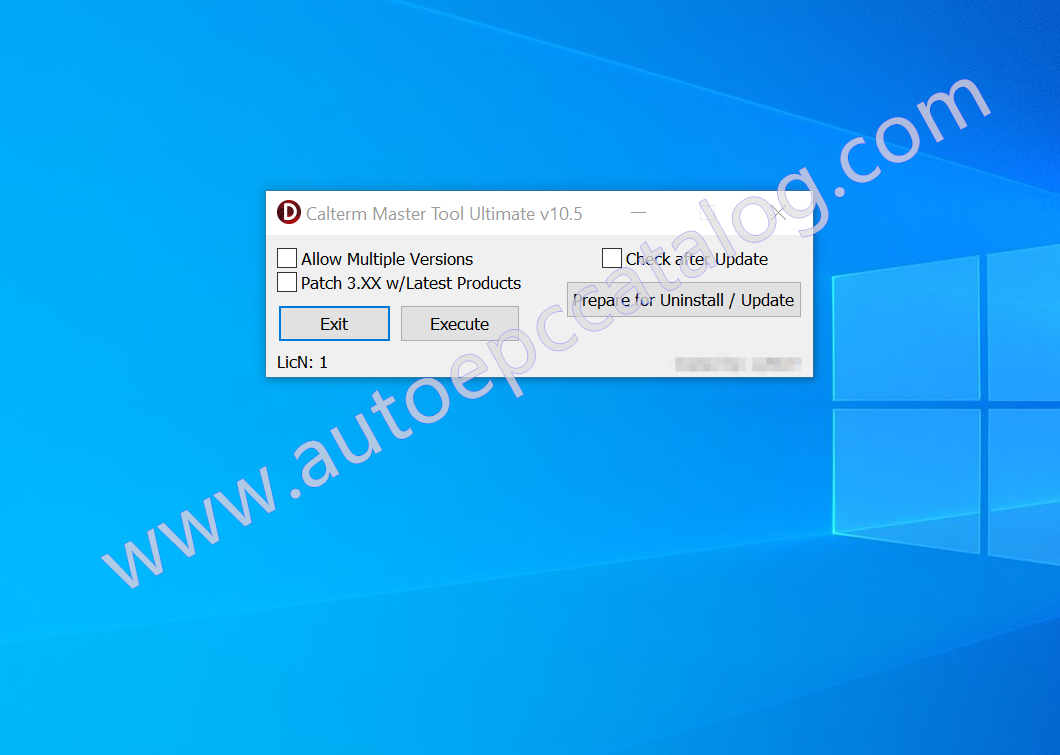
Calterm Master Tool Ultimate V10.5
Notice:The price only for one PC license activation
PRIMARY INSTRUCTIONS:
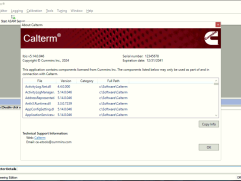
1. Install newest version of Calterm (must be Calterm4/5 or higher) first.
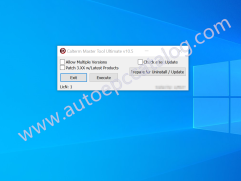
2. Run Calterm Master Tool, check box for allow multiple versions. Click Execute.
3. Install Calterm III (any version), and CaltermX (any version).
4. Run Calterm Master Tool, uncheck box for allow multiple versions. Click Execute.
=================================================================================================================================
CALTERM UPGRADE INSTRUCTIONS:
IMPORTANT!: If you are replacing Calterm4/5 or newer with a newer version of Calterm4/5 or newer, it will wipe out all previous installs. If a newer version of Calterm comes out please perform the following procedure:
1.) Uninstall Calterm4/5 or newer.
2.) Click “Prepare for Uninstall / Update” button in Calterm Master Tool.
3.) Install latest Calterm4/5 or newer.
4.) Check the box that says “Check after Update”
5.) Finally, click “Prepare for Uninstall / Update” again.
6.) You should be good to go with latest version, and your older Calterm III / CaltermX will be untouched.
=================================================================================================================================
PATCH 3.XX w/LATEST PRODUCTS:
Requirements: Calterm 3.XX is installed.
IF ONLY CALTERM 3.XX IS INSTALLED:
1.) Check the box for “Patch 3.XX w/Latest Products”.
2.) If no error, it has been completed successfully.
Note: You do not have to click execute button if this is all you want to do.
IF CALTERM 4/5 OR NEWER IS INSTALLED AS WELL AS CALTERM 3.XX:
1.) Check the box for “Patch 3.XX w/Latest Products”.
2.) Wait 10 seconds.
3.) Click “Execute” button.
4.) If no error, it has been completed successfully.
Note: You may receive an error in Calterm 3.XX, but the program should work fine.
=================================================================================================================================
CHANGELOGS:
v10.1 ChangeLog:
-Added feature that will allow CMT to work for all newer versions of Calterm indefinitely. No more patching to fix this problem.
-Added feature to patch Calterm 3.XX versions with latest product data. This will also fix product data errors in 3.xx with latest CT.
-Added feature to allow for easier updating of Calterm 4/5 or newers without the installer’s messing with Calterm III or CaltermX.
v10.2 ChangeLog:
-Fixed bug with “Prepare for Uninstall / Update” that prevented the use in some cases.
-License file name was changed to match product.
v10.3 ChangeLog:
-Fixed bug with “Patch 3.XX w/Latest Products” where if Calterm 4/5 or newer wasn’t installed it wouldn’t work. It now does.
v10.4 ChangeLog:
-Fixed bug with “Patch 3.XX w/Latest Products” where it may have caused Calterm 5.16.0 and newer to not start properly.




Reviews
There are no reviews yet.